
GTA San Andreas Cheater
Tools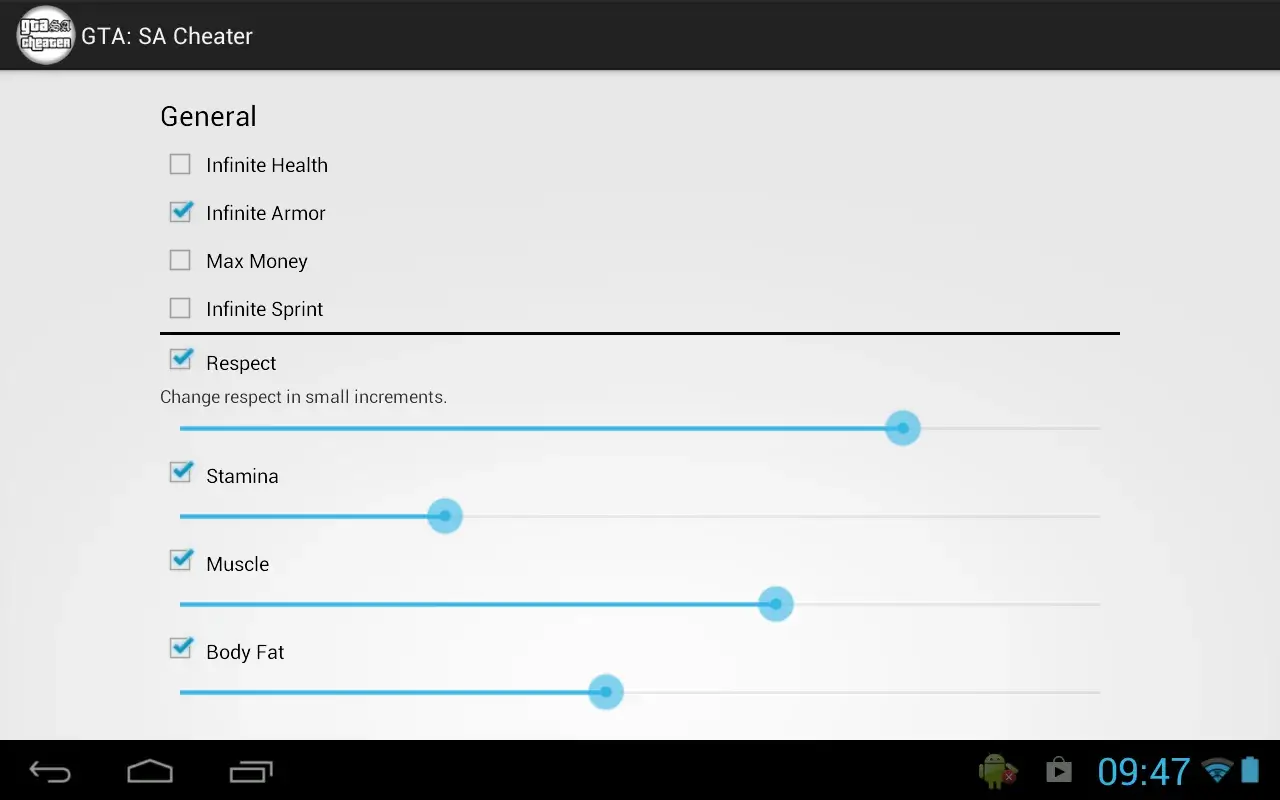
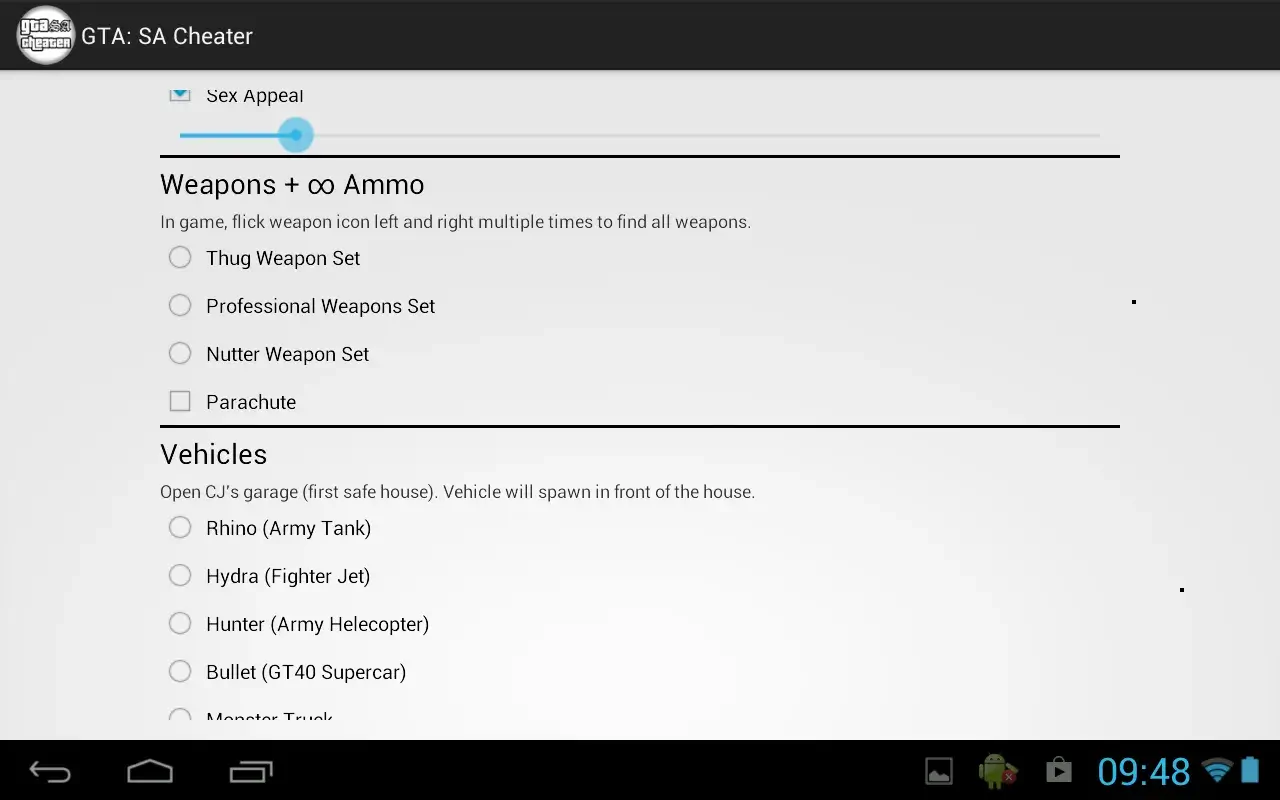

GTA San Andreas Cheater is a lightweight Android utility that lets you activate classic cheat codes while playing the offline version of GTA San Andreas. The app is only 1 MB, making it quick to download and easy to keep on devices with limited storage.
This page provides the latest version information, installation steps, common issues, and safety tips so you can decide whether the tool fits your needs.
Quick Information
| App/Game Name | GTA San Andreas Cheater |
| Latest Version | 4.5 |
| Developer | Not listed |
| Category | Apps / Tools |
| App Size | 1 MB |
| Package Name | com.jdroid.gtasacheater |
| Last Updated | 22 June 2026 |
What Is GTA San Andreas Cheater?
The app acts as a helper that injects cheat commands into the GTA San Andreas game process. It does not contain the game itself; you must already have the official GTA San Andreas APK installed. Once launched, the cheater presents a list of familiar cheat codes (e.g., unlimited health, weapons, money) that can be toggled while you play.
Target audience includes players who enjoy experimenting with classic cheat combos in a single‑player environment. Because the game runs offline, the tool does not require an internet connection after installation. The app does not modify the original game files, but it does need permission to overlay on other apps and to read the running process.
Compatibility
| Android Version | ✓ Verified — 5.0 & Up |
| Architecture (ARM64 / 32-bit) | ✓ Verified — Supports common device architectures |
| Internet Connection | ✓ Verified — May be required for ads, updates, or login |
| Storage Needed | Not Verified |
| OBB/Data Files | Not Verified |
| Root Required | Not Verified |
How to Install
- Enable Unknown sources in your device settings (Settings → Security → Install unknown apps).
- Download the
GTA San Andreas Cheater.apkfile from this page. - Open the downloaded file to start the installation wizard.
- Grant the requested permissions, especially Display over other apps and Usage access, so the cheater can interact with GTA San Andreas.
- Launch GTA San Andreas, then open the Cheater app to select and activate cheats.
Troubleshooting
- App not installed: Ensure the APK is not corrupted and that you have allowed installations from unknown sources.
- Cheats do not work: Verify that GTA San Andreas is running in the foreground and that the cheater has overlay permission.
- Crashes on startup: The app may be incompatible with very recent Android versions; try running it on Android 8‑12 where it has been reported to work.
- Permission denied errors: Re‑grant the required permissions in Settings → Apps → GTA San Andreas Cheater → Permissions.
Safety & Security
GTA San Andreas Cheater is a modified utility, not an official part of the game. When downloading any APK, consider the source’s reputation and scan the file with an antivirus program. The app requests permissions to overlay on other apps and to read running processes; these are typical for cheat tools but should be granted only if you trust the software.
Because the tool works only with the offline version of GTA San Andreas, it does not communicate with external servers, reducing network‑related privacy risks. However, using cheat tools can affect game stability and may lead to unexpected behavior.
How GTA San Andreas Cheater Compares
| Feature | GTA San Andreas Cheater | GameGuardian | Lucky Patcher | Cheat Engine for Android |
|---|---|---|---|---|
| Price / Model | Free | Free (donations optional) | Free (premium add‑ons) | Free (open source) |
| Platform Availability | Android only | Android only | Android only | Android only |
| Standout Feature | Pre‑built GTA San Andreas cheat list | Memory editor for any app | App patching & license removal | Advanced memory scanning |
| Best For | Quick GTA San Andreas cheats | General game hacking | Removing ads & unlocking paid features | Deep memory manipulation |
Alternatives
If you need a broader hacking toolkit, GameGuardian offers a full memory editor that works with many games, not just GTA San Andreas. Lucky Patcher focuses on removing ads and bypassing license checks, which can be useful for other paid titles. Cheat Engine for Android provides powerful scanning and scripting capabilities for users comfortable with advanced tweaking.
Final Verdict
GTA San Andreas Cheater is a straightforward, free utility for players who want instant access to classic cheat codes in the offline GTA San Andreas experience. Its small size and simple interface make it easy to install, but it requires the standard Android permissions for overlay and process access. The tool works best on Android 8‑12; newer versions may need additional tweaks. If you’re looking for a one‑click cheat solution specifically for GTA San Andreas, this app fits the bill. For more versatile hacking needs, consider a general‑purpose tool like GameGuardian.
Frequently Asked Questions
The APK is safe if downloaded from a trusted source and scanned with an antivirus; it only requests overlay and usage‑access permissions.
No, the app works without root, but it does need permission to display over other apps.
It has been reported to work on Android 8 through Android 12; newer versions may require additional steps.
Yes, the cheater only adds cheat functionality to the existing GTA San Andreas APK.
The tool is designed for the offline single‑player mode; using it in online environments may lead to bans or instability.
It asks for overlay (draw over other apps) and usage‑access to interact with the GTA San Andreas process.
At only 1 MB, the APK is suitable for devices with minimal storage space.
The cheater is a separate utility; it does not replace or modify the original game app.